Google TV vs Android TV in 2026: What's Actually Different?
Google TV first launched in 2020 alongside the Chromecast with Google TV, and it's now the default interface on nearly every new Google-powered TV, streaming box, and projector. Android TV hasn't disappeared, but it's no longer what new hardware ships with — the clearest holdout is the Nvidia Shield TV, which remains the most beloved device in the category and, as of 2026, still hasn't received the Google TV interface. Here's how the two platforms actually compare.
Quick Comparison
Category | Google TV | Android TV (Nvidia Shield) | ||
|---|---|---|---|---|
Home Screen | ✅ AI-driven, personalized "For You" recommendations | ⚠️ App-based recommendations | ||
Live TV | ✅ Unified Live tab across services | ❌ Requires opening each app individually | ||
Profiles | ✅ Multiple profiles, Family Link kids' controls | ⚠️ Systemwide parental controls only | ||
Current OS Version | ✅ Android 14 (Google TV Streamer) | ⚠️ Android 11, still updated in 2026 | ||
Hardware Age | ⚠️ Newer, less powerful chip | ⚠️ Older but more powerful Tegra X1+ | ||
New Hardware Availability | ✅ Default on nearly all new devices | ❌ No new Shield hardware since 2019 | ||
Best For | ✅ Anyone buying new hardware today | ⚠️ Existing Shield owners only |
1. What's Actually Under the Hood
Winner: Tie
Both platforms run on essentially the same foundation — the same Google Play Store, the same app catalog, and the same core Android TV OS underneath — so the differences buyers actually notice come down to the interface layered on top, not app compatibility or quality.
Key Points:
- Both: Full access to the Google Play Store and the same available apps
- Both: Support for Google Assistant voice commands, smart home controls, and Chromecast casting
- Both: Built on the same underlying Android TV operating system
Why It Matters: You're not sacrificing app support or core functionality by sticking with Android TV hardware — the real differences are all in the interface Google or the device maker puts on top.
2. Home Screen & Recommendations
Winner: Google TV
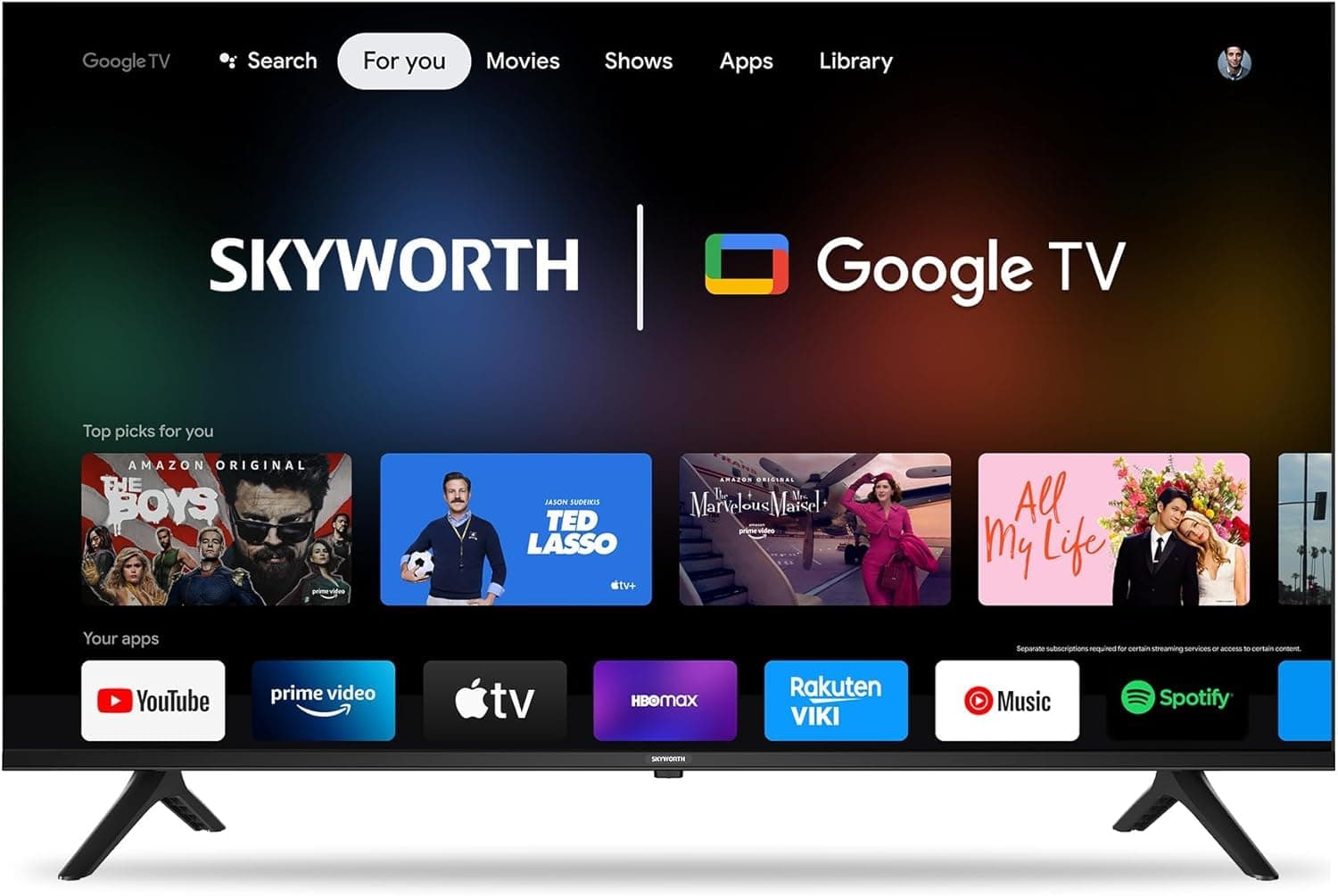
Google TV leans on AI-driven recommendations based on what you actually watch, while Android TV's home screen recommendations are organized primarily around which apps you have installed rather than personalized content.
Key Points:
- Google TV: Uses watch history to power a personalized "For You" tab and tailored home screen suggestions
- Android TV: Recommendations are generally organized by application rather than by learned viewing habits
- Google TV: Highlights popular and regionally relevant content directly on the home screen
Why It Matters: If you want a more curated, "just show me something to watch" experience, Google TV's recommendation engine is the more modern approach — though some users prefer Android TV's more straightforward, app-first layout.
3. Live TV Integration
Winner: Google TV
Google TV includes a dedicated Live tab that aggregates active broadcasts from services like Sling TV and YouTube TV into one place, letting you tap a thumbnail and go straight to a live broadcast without opening the source app first.
Key Points:
- Google TV: Dedicated Live tab pulling from multiple streaming and live TV services at once
- Nvidia Shield TV specifically: Google extended a version of this Live tab with 800+ free, no-configuration-required channels
- Android TV (without the Live tab extension): Requires opening each app individually to find live content
Why It Matters: For anyone who watches a mix of live TV apps, Google TV's unified Live tab removes a genuinely annoying amount of app-switching.
4. Profiles & Parental Controls
Winner: Google TV
Google TV supports multiple personalized profiles, including dedicated kids' profiles with their own content boundaries managed through Google Family Link, while Android TV generally handles parental controls through a single systemwide setting rather than per-profile.
Key Points:
- Google TV: Multiple profiles per account, each with individual recommendations
- Google TV: Kids' profiles with content restrictions managed via Google Family Link
- Android TV: Parental controls typically applied systemwide rather than per profile
Why It Matters: For households with kids sharing one TV, Google TV's per-profile content boundaries are a meaningful practical upgrade over a single blanket restriction setting.
5. Hardware & Long-Term Support
Winner: Android TV (Nvidia Shield, Specifically)
Nvidia's Shield TV remains a remarkable outlier in Android's history — still receiving security and bug-fix updates in 2026 despite running on Android 11 and hardware that first launched back in 2019, even as its Tegra X1+ chip and lack of AV1 support show real age.
Key Points:
- Nvidia Shield TV: Received a Shield Experience Upgrade in February 2026, including January 2026 security patches, still running Android 11
- Nvidia Shield TV: No Google TV interface has ever been rolled out to it, and none appears planned
- Google TV Streamer (the current flagship Google TV device): Ships on Android 14, with newer hardware but a less powerful chip than the Shield's aging Tegra X1+
Why It Matters: If you already own a Shield TV, Nvidia's support has been unusually long-lived — but if you're buying new hardware today, nearly everything on shelves now ships with Google TV instead, and there's no indication the Shield lineup will get new hardware or the newer interface.
Final Verdict
Choose (or keep) Android TV / Nvidia Shield if: You already own a Shield TV, value its raw hardware performance and app-based home screen, and don't mind that it's stuck on an older Android version with no Google TV interface in sight.
Choose Google TV if: You're buying new hardware today — nearly every new Google-powered TV, streaming box, and projector ships with it — and you want AI-driven recommendations, a unified Live TV tab, and per-profile parental controls.
In practice, these platforms are more similar than different: same app store, same core apps, same voice assistant. The real decision point in 2026 isn't really "which interface is better" so much as "is new hardware even an option" — and for nearly every new device, Google TV is what you're getting.